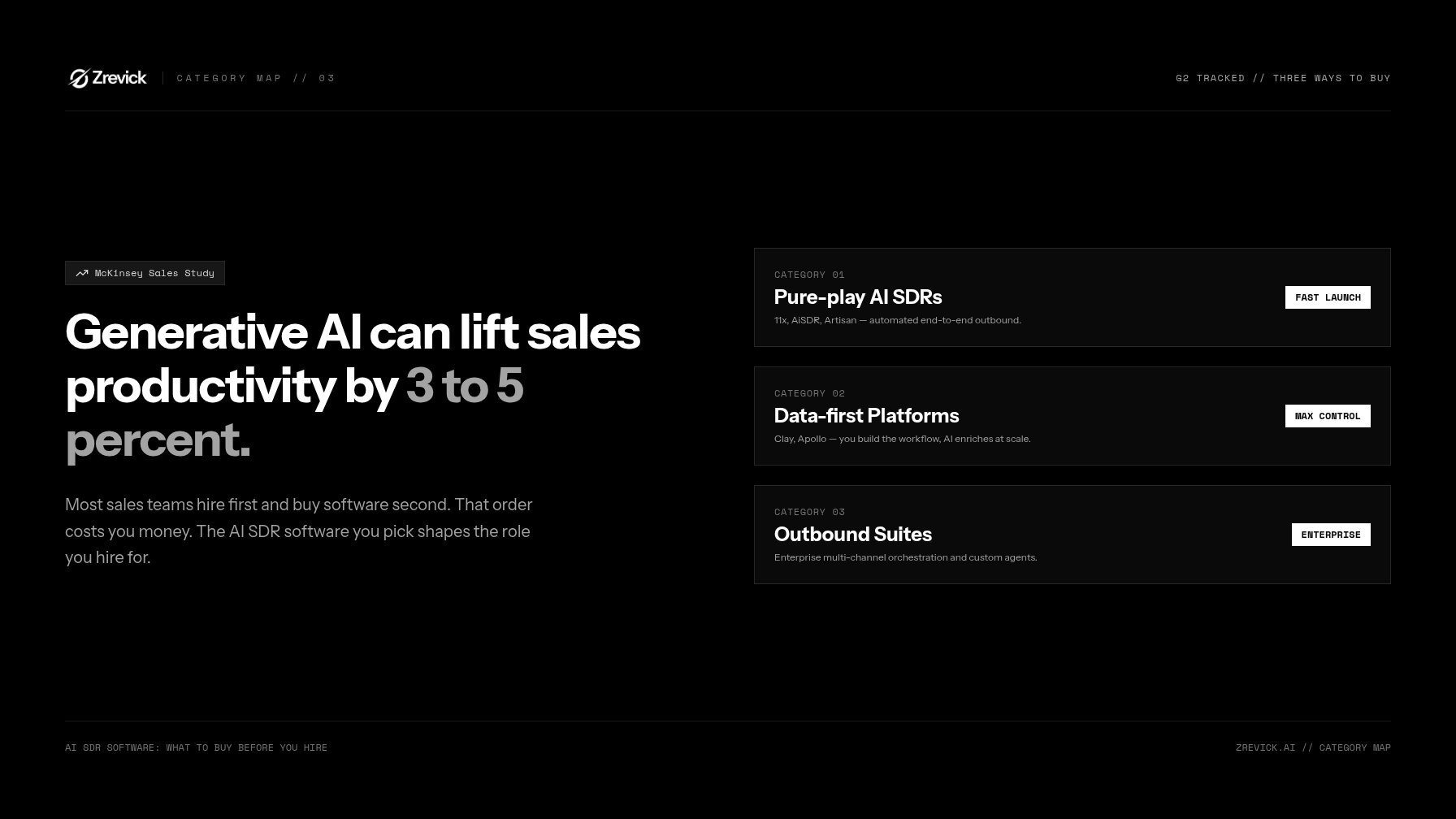
Most sales teams hire first and buy software second. That order costs you money. The AI SDR software you pick shapes the role you hire for and the pipeline you build. Buy the wrong tool and your first human SDR becomes a babysitter for bad software. Buy the right one and they become an operator who scales a machine.
The upside is real. McKinsey estimates generative AI can lift sales productivity by 3 to 5 percent (McKinsey). But only if you buy the right type of tool for your motion.
This guide maps the market by category, not vendor. You'll see what each tier costs, what to check before any demo, and how to compare vendors fairly. The same logic applies if you're shopping for AI BDR software or any AI outbound sales tool. The buying questions don't change.
What to Expect from AI SDR Software at Each Price Tier
Prices vary by vendor and deal size, so treat these ranges as what buyers typically see today. What changes most across tiers isn't the feature list. It's who operates the tool.
Entry tier: $30–$150 per seat, per month
You get AI email drafting, basic sequences, and small enrichment credits. The AI assists. You still run the workflow, pick accounts, and manage replies.
Best fit: founders and small teams testing outbound for the first time.
Mid-market: $500–$2,500 per month
You get AI agents that research, write, send, and reply on their own. Inbox management, lead scoring, and real CRM sync show up here. You set strategy. The tool does the daily work.
Best fit: teams with a proven ICP and at least one operator to steer it.
Enterprise: $3,000+ per month or custom pricing
You get multi-channel orchestration, custom agent behavior, SSO, audit logs, and SLAs. At this tier you're buying a system, not a tool.
Best fit: mature outbound programs with compliance and security needs.
"How is AI SDR software priced?" has two answers. The tier is only half the story. The pricing model matters just as much. We'll decode it below.
The Category Map: Three Ways to Buy
G2 now tracks a fast-growing AI SDR category (G2). Vendor counts won't help you choose. Categories will. Every AI SDR software option falls into one of three camps.
1. Pure-play AI SDRs
Examples: 11x, AiSDR, Artisan.
These vendors sell an AI SDR platform that does the whole job. The agent finds prospects, writes emails, handles replies, and books meetings. Pricing usually runs per agent or per meeting.
- Pros: fastest to launch, least staffing needed.
- Cons: least control over data, targeting, and deliverability defaults.
- Buy this if you want booked meetings now and trust the vendor's defaults.
2. Data-first platforms
Examples: Clay, Apollo.
You build the workflow. The AI does research and enrichment at scale. You own the targeting logic and the data underneath it.
- Pros: maximum control, sharpest targeting, data stays yours.
- Cons: needs an operator to build and maintain it.
- Buy this if targeting quality is your competitive edge. Most of these tools double as AI BDR software for account prospecting.
3. All-in-one revenue platforms
Examples: Outreach, Salesloft, HubSpot with AI add-ons.
Sequencing, CRM, and AI features in one suite. One vendor, one data model, one login.
- Pros: consolidated stack, existing team familiarity.
- Cons: heavy rollout; AI features usually lag the pure-plays.
- Buy this if you already run the stack and want AI added, not bolted on.
| Category | You get | You trade off |
|---|---|---|
| Pure-play AI SDR | Done-for-you pipeline | Control and data ownership |
| Data-first platform | Precision and control | Operator time |
| Revenue platform | Consolidation | Speed and depth of AI |
So, what is the best AI SDR software? There's no single winner. Pure-plays buy you speed, data platforms buy you control, and suites buy you consolidation. The best tool matches your sales motion, not the loudest demo you watched.
Evaluation Checklist Before You Book a Demo
Bring this list to every vendor call. If a tool fails two or more items, skip the pilot.
Data quality
- Where does contact data come from, their own base or third-party feeds?
- What share of records pass verification? Ask for real numbers.
- How fast does data age out? People change jobs, and stale records kill reply rates.
- Can you export everything, or is your data locked in?
Deliverability
Deliverability makes or breaks any AI SDR software. Ask:
- Do they warm up domains and send from separate domains?
- Do they enforce volume caps per inbox?
- Do they configure SPF, DKIM, and DMARC? Google requires authentication for bulk senders and expects spam rates near zero (Google sender guidelines).
- Can they show spam placement monitoring, not just open rates?
CRM sync
"Which AI SDR tools integrate with my CRM?" is the most common buying question. Most pure-plays sync natively with Salesforce and HubSpot. Verify your exact stack, whether that's Pipedrive, Zoho, or a custom build, before you sign. Check three things: bi-directional sync, field mapping, and activity logging. A tool that only exports CSVs will rot in a corner.
Oversight controls
- Can you require human approval before any email sends?
- Can you set tone rules, blocked words, and length limits?
- How does the agent handle replies? Does anything escalate to a person?
- Are there audit logs for what the AI did and why?
Pricing Models Decoded
How is AI SDR software priced? Four models dominate the market.
Per seat
A flat monthly fee per user. Predictable and easy to budget. This model fits when your team operates the tool. Watch for seats multiplying faster than actual usage.
Per lead or per credit
You pay for records enriched or contacts processed. This is the data-platform standard. It scales with usage but invites overage fees. Watch for zombie contacts you pay for but never email.
Per meeting
You pay for booked meetings. Incentives finally align with outcomes, and the vendor eats the risk of bad data. But define "meeting" in writing. A no-show is not a meeting. A 15-minute call with an intern is not a meeting. Put show-rate terms in the contract.
Hybrid
A base platform fee plus usage. Common at mid-market and up. Best when you want predictability with an upside cap.
Rule of thumb: pay per seat when you operate the tool. Pay per outcome when it operates itself.
Red Flags
Fake personalization
Merge fields dressed up as research. "Hi {first_name}, loved your post" is a mail merge, not personalization. Test it in the demo: give the agent a narrow, odd ICP. If the email could go to anyone, the AI is a template engine.
List-blast volume claims
"10,000 emails a month" is not a feature. It's a deliverability risk. Volume kills domains. If a vendor leads with volume, they're farming your sender reputation. Compliance matters too. U.S. rules require honest headers and honored opt-outs (FTC CAN-SPAM guide).
No human review
If the demo can't show an approval queue, walk away. Autonomy without oversight burns domains and embarrasses your brand. The best tools make human review easy, not optional.
Vague AI claims
"AI-powered" means nothing by itself. Ask which models the tool uses, what guardrails exist, and what happens when the AI hallucinates a prospect's name. If they can't answer, you're buying a wrapper.
How to Compare AI SDR Software Vendors Fairly
Demos are theater. Pilots are evidence. Here's a fair test.
- Pick one pure-play and one data platform to test side by side.
- Run both for two weeks on the same list and the same message angle.
- Use your data, not their hand-picked demo accounts.
- Track five numbers: reply rate, positive reply rate, meetings booked, cost per meeting, and spam rate.
- Score each tool against the checklist above. Weight the items that match your motion.
Cost per meeting is the number that matters most. A $60,000 human SDR and a $2,000 tool both come down to pipeline per dollar.
The Buying Sequence
Order matters more than budget. Here's the sequence that works.
- Fix data first. Even the best agent fails on a bad list. Buy or repair your data foundation before any AI.
- Pilot two categories in parallel. One pure-play, one data platform. Same list, same two weeks, same metrics.
- Judge on cost per meeting, not sticker price or feature count.
- Hire last. By now you know what the software can't do. That gap is your first human hire's job description.
Buy the system first. Then hire the person who scales it. Skip that order and you're back to paying someone to babysit bad software.
Start with the checklist above. Take it to your first vendor call, run both pilots, and let cost per meeting pick the winner.